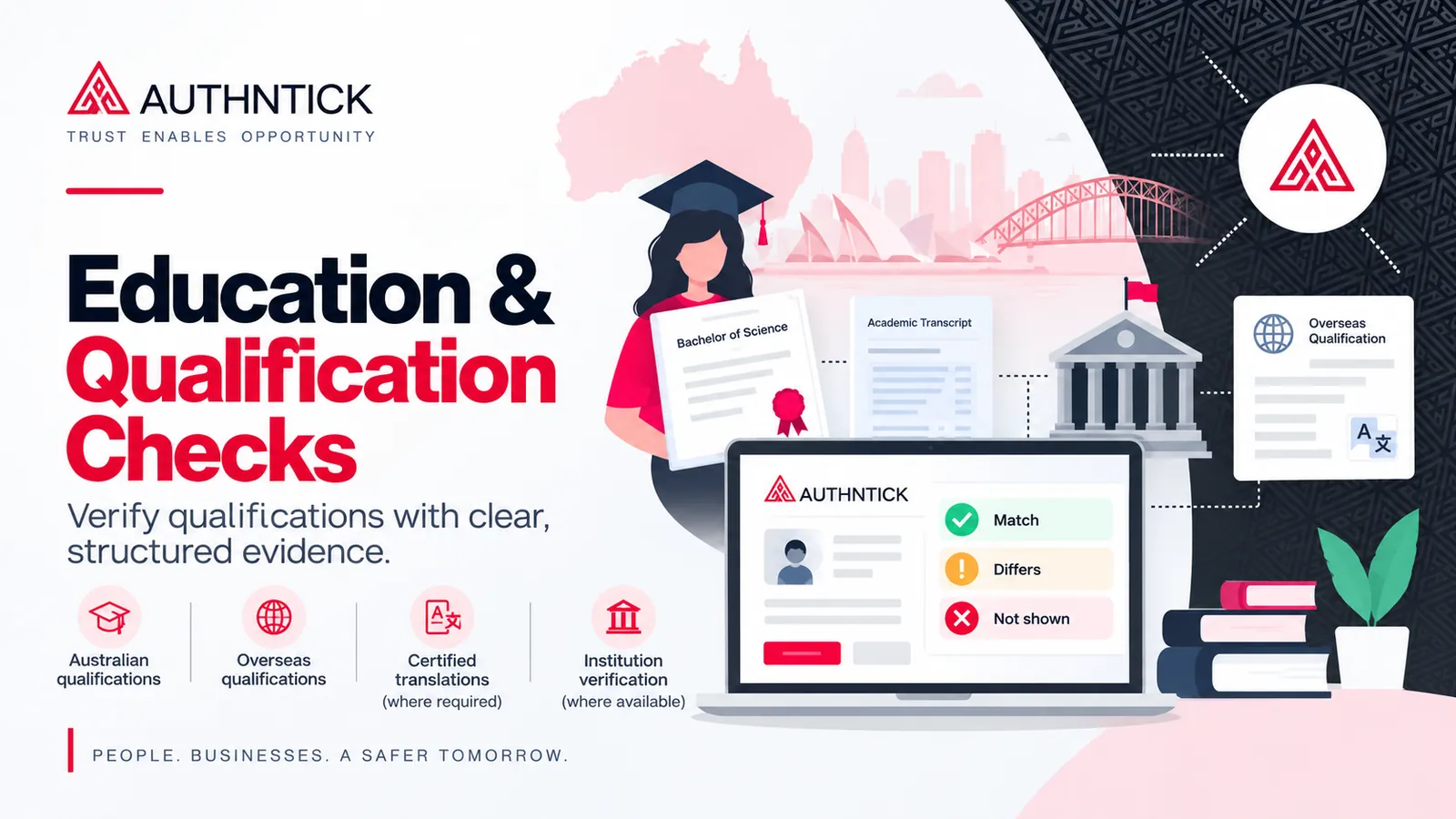
Qualifications can be relevant evidence when an organisation assesses whether a person has the education, training or credentials needed for a role. A qualification listed on a CV is still candidate-provided information.
An education and qualification check compares that information with appropriate supporting evidence and records what the evidence confirms, what differs and what cannot be established from the available source. This guide explains education verification in Australia, the Australian and overseas evidence pathways, and how findings can inform a risk-based employment screening process.
The AuthNTick Education & Qualification Check collects qualification information, supporting evidence and structured findings. The method depends on the institution and available source; it does not assume every award can be independently verified.
- Document review, an official digital academic record and independent institution verification are different assessment bases.
- My eQuals may provide an official record where the provider and qualification support it.
- Overseas checks can need institution information, documents and a certified English translation.
- Matching, differing and unavailable fields should remain distinct. The organisation makes the final decision.
What is an education and qualification check?
An education and qualification check assesses information supplied by a candidate about their education, training or credentials against relevant evidence or verification sources. Depending on the source, it may compare the institution, qualification or award, completion or conferral year, honours, major or specialisation and other relevant academic information.
The scope should follow the role and the reason for conducting the check. Degree verification in Australia may focus on an essential university award, while another role may call for a relevant trade qualification or training certificate. Checking a credential is separate from assessing whether the candidate can perform the work.
What qualifications can be checked?
- University degrees: Bachelor’s, Master’s, doctoral and equivalent qualifications.
- Diplomas & certificates: Diplomas, advanced diplomas and Certificate I–IV qualifications.
- Trade qualifications: Apprenticeships and recognised trade qualifications.
- Professional licences & accreditations: Relevant credentials where supported by an appropriate source. Current registration or a right to practise may require a separate register check.
- Secondary education: High school and secondary education records where appropriate evidence is available.
- Short courses & training certificates: Relevant training and short-course credentials where suitable evidence is available.
- Other qualifications: Other education records assessed according to the screening purpose and available evidence.
These are supported workflow categories, not a promise of universal coverage. The method and information available vary with the institution, country, qualification and evidence. A professional award also does not necessarily establish current registration, licence status or a right to practise.
Why do employers verify qualifications?
Employers may need evidence of a qualification that matters to a role. CVs and applications describe the candidate’s background, but an education background check adds a documented comparison with an appropriate record or source.
This can be relevant to the duties of a position, customer requirements, internal policy, professional requirements or an organisation’s risk assessment. Define which qualification matters and what needs to be established before collecting evidence. For example, an employer seeking a completed award should distinguish it from enrolment, partial study or a statement of attainment.
Academic qualification verification supports that factual assessment. It does not automatically establish competence, experience or suitability. Organisations can place it within a broader pre-employment screening framework rather than treating a credential as the whole hiring assessment.
How AuthNTick’s Education & Qualification Check works
The workflow collects the candidate’s claim, the evidence and the findings as distinct parts of a check. This helps the organisation understand which information was supplied and what the available source supports.
- Provide qualification details. Candidates provide the qualification type, institution, country, award and completion year, with honours classification, majors or specialisations where relevant.
- Provide supporting evidence. Share an available official digital academic record or upload a degree certificate, testamur, academic transcript or other relevant education record.
- Compare the evidence. Compare candidate names, institution, qualification, completion or conferral year, major and other available fields. Record matches, differences and information that cannot be compared separately.
- Receive a structured result. The report records the scope, evidence reviewed, verification basis and findings, including what matched, what differed and what was unavailable from the source.
- 01 Qualification details
Example University
Bachelor of Computer Science · 2022 - 02 Evidence
Academic record
Official digital record or uploaded document - 03 Verification assessment
Compare relevant fields
Matches · Differences · Not shown - 04 Result
Document Reviewed
Evidence and verification basis recorded
A result explains the evidence; the organisation makes the decision.
The amount of information that can be compared depends on the record. A transcript may contain details absent from a degree certificate. Neither the presence of a document nor a matching filename should be treated as a verification finding; the relevant evidence needs to be assessed.
What evidence can be used?
A useful report identifies both the evidence reviewed and the verification method actually used. Three concepts need to remain separate:
Document review
A supplied education document can be reviewed for consistency with candidate-provided information. Reviewing a copy does not itself independently confirm the award with its issuer.
Official digital record
Where available, a shareable My eQuals link gives access to an official digital academic record. Relevant fields can be compared; the record may not display every detail supplied by the candidate.
Independent institution verification
Information may be independently confirmed through an institution or authorised verification source where that process is available and actually performed. The report identifies the method used.
For example, a reviewer may compare a certificate with the candidate’s stated degree title and year. That comparison can be recorded without describing it as “university verified”. Independent confirmation requires an appropriate institution or authorised source to actually confirm the information.
Similarly, access to an official digital academic record does not mean every candidate field appears in it or has been independently confirmed. The report should preserve the scope and limitations of the source.
How are Australian qualifications checked?
The method depends on the institution and evidence available. Where an appropriate record is available through My eQuals, a candidate can share it for review. Otherwise, the workflow can collect a degree certificate, testamur, transcript or other relevant academic record. Independent source confirmation may be appropriate where available for the screening purpose.
Using My eQuals
My eQuals provides access to records issued by participating education providers. Access and record availability are controlled by the provider; candidates should follow their institution’s instructions if a record is missing. See My eQuals guidance for learners.
Where available, an official digital academic record can provide a clear source of evidence for comparing qualification information. The five steps below explain how to share the relevant record with AuthNTick: sign in, choose the document, create a link, enable sharing and copy the link into the check.
How to share your My eQuals record
- 1 Sign in to My eQuals
Sign in to your My eQuals account using the available sign-in method.
- 2 Choose your document
Open Documents, choose the relevant qualification, transcript or testamur, and use its share control.
- 3 Create a shareable link
Choose the appropriate link-sharing option. This example shows “Public on the web”; anyone with that link can view the shared record.
- 4 Enable sharing
Complete the sharing settings and keep the link accessible for the time needed to review the evidence. Share only the required record.
- 5 Copy and provide the link
Copy the generated share link and paste it into the AuthNTick Education & Qualification Check.
My eQuals availability depends on the education provider and record. Candidates should share only the record required for their education check.
Illustrative My eQuals sharing instructions. The My eQuals interface may change. My eQuals is a third-party service.
The pictured public-web option creates a link that anyone holding it can use to view the selected record. Keep it private to the intended recipient, share only the document needed and keep access available for the review period. Consult the official My eQuals sharing instructions for current options and access settings.
My eQuals verification in this context means assessing the supplied academic evidence and recording the basis used. AuthNTick does not own or operate My eQuals, and sharing a link is not a blanket confirmation of every qualification detail.
How are overseas qualifications checked?
International education verification can require additional information because institutions and verification systems vary between countries. AuthNTick therefore collects supporting institution information alongside the candidate’s qualification details.
The five-step workflow is to select the qualification type, enter qualification details, provide institution and verification information, upload the academic evidence and any required translation, then review and submit. The same supported qualification categories apply, subject to appropriate evidence and source availability.
- 1Select the qualification type
Identify the category of credential being checked.
- Qualification type
- University degree
- 2Enter qualification details
Provide your name, date of birth, institution country, award and year, with honours or majors where relevant.
- Candidate
- Example Candidate
- Country
- United Kingdom
- Institution
- Example University
- Qualification
- Master of Data Science
- Year / major
- 2022 · Data Science
- 3Help us verify the overseas institution
Provide the institution website and campus or city. Add a student ID, registrar contact or other information where available.
- Institution website
- https://example.edu
- Campus / city
- Example campus
- Student/reference ID
- EX-123456
- Online verification
- Yes, I have a verification link or portal
- Portal / reference
- Provide URL and reference if available
- 4Provide your education documents
Upload the relevant certificate, transcript or academic record. A certified English translation is required where the primary document is not in English.
- Certificate or transcript *
- qualification-certificate.pdf
- Certified English translation
- certified-translation.pdf · if required
- 5Review your information
Review the qualification, institution information and evidence, then submit for assessment against the available source.
- Qualification
- Details supplied
- Evidence
- Ready for assessment
- Verification basis
- Recorded after review
No online source? Candidates can select No or Not sure. A supplied website, email, portal or reference code is supporting information; its authority must be assessed before it is used for independent verification.
The available method depends on the institution and country. An official online verification service or institution portal may assist the process. In other circumstances, additional review or institution contact may be required. No single turnaround or verification outcome can be promised for every overseas record.
Overseas qualification verification is also different from assessing Australian equivalence, migration value or suitability for a regulated occupation. Those questions may require a separate assessing authority or professional registration process.
Do overseas education documents need to be translated?
Where the primary education document is not in English, a certified English translation may be required so the relevant information can be assessed. The original certificate, transcript or academic record should also be supplied where required.
The workflow asks whether the primary document is in English and collects a translation when required. A translation helps a reviewer interpret the content; it does not by itself establish that the underlying qualification is authentic or that the issuing institution confirmed it.
Keep the translation and original identifiable as separate evidence. If the institution name or award title is translated differently from the candidate’s application, that can be clarified in the assessment rather than silently replacing one description with another.
What information helps verify an overseas qualification?
Institution and verification information helps identify the record and an appropriate source. Candidates may need to provide:
- Full institution name and country, campus or city, and institution website.
- Candidate name, date of birth, qualification name and year awarded.
- Honours, major or specialisation where relevant.
- Student ID or registration number where applicable.
- An official verification portal or result URL where available.
- A verification code or reference number where applicable.
- Registrar contact information and other relevant context.
- The certificate or transcript and a certified English translation where required.
For online verification, candidates can select “Yes, I have a verification link or portal” and provide the URL and reference. They can also select “No” or “Not sure”. Uncertainty about a portal does not itself establish a problem with the qualification.
A candidate-provided website, email address or portal is a starting point. It must not automatically be described as an independently verified source. The final report identifies the basis actually used and any source limitations.
What happens when the details don’t match?
Differences can be recorded against individual fields, keeping the candidate’s claim separate from what the evidence shows. A single overall label should not hide which detail differs.
- Candidate supplied
- Bachelor of Computer Science
- Evidence shows
- Bachelor of Information Technology
- Finding
- Qualification differs
The finding does not automatically explain why the difference exists. The organisation can seek clarification, consider supporting information and decide whether the discrepancy matters to the role. A difference is not, by itself, proof of intentional misrepresentation.
What happens when information isn’t available?
“Not shown” is different from “does not match”. If the academic source does not display a date of birth, the appropriate field result may be “Unable to compare — not displayed by source”.
A source may support the institution, qualification and completion year while leaving other fields unconfirmed. The absence of information for a field should not automatically be represented as contradictory evidence. The reviewer records what was available and the organisation considers whether further evidence is needed.
Verification assessment
- First name✓ Match
- Last name✓ Match
- Institution✓ Match
- Qualification✓ Match
- Completion year✓ Match
- Major / specialisation✓ Match
- Date of birth— Not shown
Education screening and AS 4811:2022
AS 4811:2022 Workforce screening sets out requirements and guidance for organisation-specific screening principles, policies and processes. An education or qualification check may form part of an employment screening framework where the credential is relevant to the role or screening purpose.
Education screening should be proportionate to the role, responsibilities and identified risks. The qualification, institution, country and availability of authoritative sources can influence which evidence and method are appropriate.
AuthNTick’s structured workflow is designed to support an AS 4811:2022-aligned, risk-based screening process by recording candidate-provided information, the evidence considered and the findings. The organisation determines appropriate checks and assessment criteria in light of its circumstances, legal obligations and policies.
This does not mean AS 4811 requires an education check for every employee, My eQuals for every qualification or translations in every case. Performing an education check does not by itself establish compliance with an organisation’s complete screening framework.
What should an education verification report show?
A useful education verification report makes the evidence trail understandable. The scope, review outcome, evidence type, finding summary and verification basis should explain what was assessed and how.
Relevant qualification fields can include the type, institution or provider, award, completion or conferral year, country, honours and major or specialisation. Field-level comparisons distinguish matches, differences and information that could not be compared because the source did not display it.
Education & Qualification Check Result
- Candidate
- Example Candidate
- Qualification type
- University degree
- Institution
- Example University
- Qualification
- Bachelor of Computer Science
- Completion year
- 2022
- Country
- Australia
- Major / specialisation
- Artificial Intelligence
- Evidence
- Official digital academic record
Comparison of supplied qualification details with an official digital academic record. No separate institution confirmation is represented in this example.
Finding summaryDisplayed academic details match. Date of birth is not shown by the source.
Verification assessment
- First name✓ Match
- Last name✓ Match
- Institution✓ Match
- Qualification✓ Match
- Completion year✓ Match
- Major / specialisation✓ Match
- Date of birth— Not shown
This fictional report uses “Document Reviewed” as its outcome and an official digital academic record as its evidence. It records matching fields without claiming a separate institution confirmation. A different check should describe the method actually performed, rather than borrowing the strongest-sounding label.
Education checks should inform, not make, the decision
A screening result is evidence for the customer to consider. It is not an automated hiring decision or a substitute for the organisation’s assessment.
The organisation remains responsible for deciding the relevance of findings and making its employment, engagement, licensing or suitability decision. Role requirements, other available evidence, clarification from the candidate and the organisation’s policies provide context for that decision.
For example, an unavailable historical record may leave a check unresolved without proving the candidate’s claim false. A confirmed qualification may establish an academic fact without answering whether the person has the practical experience needed for the position.
Bringing education verification into the wider screening process
Choose complementary checks according to the role and screening purpose. Education evidence answers a different question from employment history, work rights or criminal-history information.
- Work history verification assesses relevant employment claims.
- Reference checks collect role-relevant referee feedback.
- VEVO work rights checks address applicable visa and work-entitlement information.
- Nationally Coordinated Criminal History Checks support eligible screening purposes.
- AFP Police Checks are available for relevant purposes.
The AuthNTick workforce screening platform brings relevant checks into a coordinated workflow. Start with the role requirement, select proportionate checks and review the findings in context.
Education verification FAQs
What is an education and qualification check?
An education and qualification check assesses candidate-provided education or qualification information against appropriate evidence or verification sources. It may compare the institution, award, completion year, major or specialisation and other available academic information.
What qualifications can AuthNTick check?
The platform supports workflows for university degrees, diplomas and certificates, trade qualifications, professional licences or accreditations, secondary education, short courses and other qualifications in Australia and overseas. What can be confirmed depends on the qualification, available evidence and verification source.
What is My eQuals, and can I use it for an education check?
My eQuals provides access to official digital academic records issued by participating education providers. Where an appropriate record is available, candidates can share a link for the check. Availability depends on the provider and record; sharing a record does not establish that every field has been independently verified.
Can candidates upload their degree certificate or transcript?
Yes. The workflow accepts relevant education documents such as a degree certificate, testamur or academic transcript. The report identifies the assessment basis. Document review is only described as independent institution verification if that verification actually occurred.
Can AuthNTick check overseas qualifications?
AuthNTick supports workflows for assessing Australian and overseas education and qualifications. The verification method and information that can be confirmed depend on the institution, country, qualification, available evidence and verification source. Overseas coverage and turnaround are not guaranteed.
What information is needed for an overseas education check?
Candidates provide institution and qualification details and may be asked for the institution website, campus or city, student or registration number, registrar contact information and available verification information. Relevant academic documents are required, with a certified English translation where required for a non-English document.
Do overseas documents need an English translation?
Where the primary education document is not in English, a certified English translation may be required alongside it. The translation assists with interpreting the information but does not itself establish that the qualification is authentic.
What if my university has an online verification portal?
Candidates can provide the portal or result URL and a relevant verification code or reference number. Candidate-supplied links and contacts are supporting information, not automatically independently verified sources. AuthNTick records the verification basis actually used.
What happens when information does not match?
Relevant differences can be recorded against individual fields so the organisation can see which details differ from the available evidence. AuthNTick presents the findings; the organisation assesses their relevance, seeks clarification where appropriate and makes the final decision.
What if information is not shown on the academic record?
Information unavailable from the source is recorded as not shown or unable to compare, rather than automatically treated as a mismatch. For example, a record may show the award and year but omit the candidate’s date of birth.
Is an education check enough to make a hiring decision?
Education screening is one part of a broader, risk-based process where relevant to the role. The organisation determines the appropriate scope and makes employment or engagement decisions in accordance with applicable requirements and its policies.
Does an overseas check assess Australian equivalence?
Verification of the original qualification is separate from an assessment of its Australian equivalence, migration value or suitability for a regulated occupation. These may require an appropriate assessing authority or professional registration process.

About the author
Rahul Tripathi
Engineering and technology contributor
Rahul Tripathi is an engineer with interests in computer networks, digital systems and applied technology. At AuthNTick, he contributes to guides about digital identity, verification technology and practical screening workflows.
Editorial references
Official and authoritative sources
Use these primary and authoritative references to confirm current requirements for the topic covered in this guide.
- AS 4811:2022 Workforce screening Standards Australia
- My eQuals guidance for learners My eQuals
- My eQuals FAQs for students, graduates and alumni My eQuals
This guide is general information, not legal advice. Government processes and employer requirements can change, so check the linked source and the requesting organisation’s instructions before acting. Read our editorial and corrections policy.
Next step
Verify education and qualifications with AuthNTick
Collect qualification information, review supporting evidence and receive structured findings through one screening workflow.