Australia’s Document Verification Service (DVS) checks whether details from a supported identity document match the original record. It checks document information, not facial images, and a match does not by itself prove that the person supplying the details is the document holder.
This guide explains what a DVS check can tell you, consent and privacy considerations, and how to prepare for electronic document verification. AuthNTick’s candidate workflow is used as a practical example; available documents and steps depend on the service requesting the check.
What is the Document Verification Service?
The DVS compares biographic information, such as a name and date of birth, with the original record for an identity document. It checks document information rather than facial images. The IDMatch service overview explains the distinction between document verification and face verification.
An organisation’s candidate experience and the underlying document check serve different purposes. The candidate workflow collects consent, guides data entry and explains next steps. The document check compares the submitted information with the relevant record.
How electronic document verification works
- The individual receives information about why their identity information is needed and how it will be used.
- The individual provides express consent before the electronic check begins.
- They enter the required information from an accepted document.
- The verification process checks those details against the relevant official record.
- The surrounding workflow explains whether verification could be completed and what the person can do next.
Names, dates and identifiers need to be entered in the format requested for the document. A document that cannot be verified may need corrected information or further assistance. An unsuccessful check should not automatically be treated as evidence of dishonesty.
Before you enter your document details
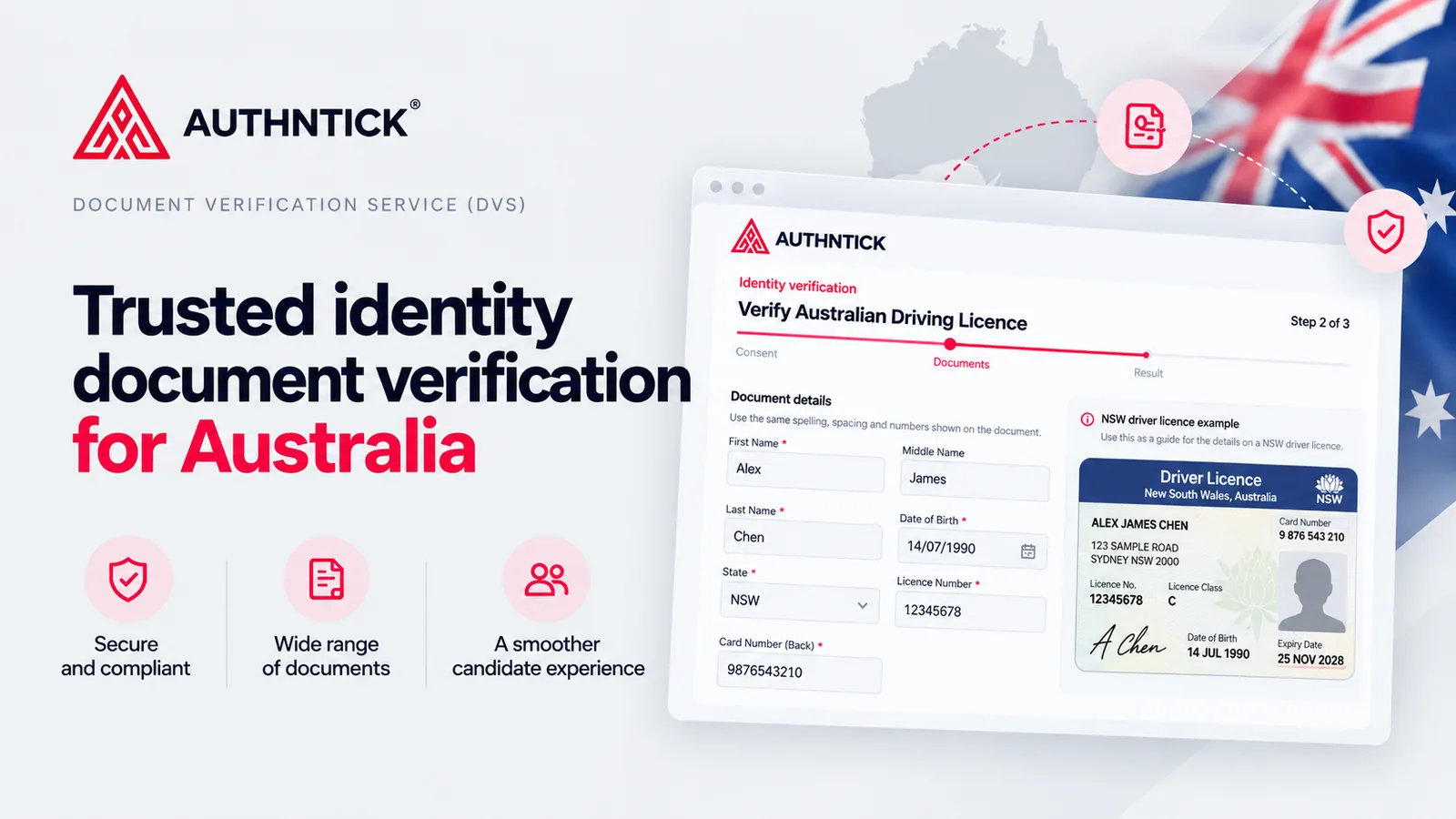
Use the document-specific instructions in your verification request. In AuthNTick, the selected document determines which fields and guidance the candidate sees.
- Read the privacy information and consent notice before deciding whether to continue.
- Check names, dates and identifiers against the original document.
- For an Australian driver licence, select the issuing state and follow the visual guide to locate the licence number and card number. They are separate fields.
- Review the details before submitting, especially if an earlier attempt was unsuccessful.
For AuthNTick’s available document options, see the accepted identity documents.
Which documents can be checked?
Available documents and required fields depend on the service and document type. AuthNTick’s candidate workflow includes Australian driver licences, Australian passports and Medicare cards as commonly used options.
Other options in the application include birth certificates, citizenship certificates by conferral or descent, ImmiCards, marriage and change-of-name certificates, a foreign passport with an Australian visa, aviation and maritime security identification cards, and relevant concession and health cards.
These are the categories offered in AuthNTick’s current workflow, rather than a guarantee that every document can be verified in every circumstance. Check the accepted documents on the Identity Verification product page for the full application list. For the government service’s document coverage, refer to IDMatch.
What does document verification tell you?
A successful information match means the submitted document information corresponds with the relevant official record. IDMatch’s guidance for individuals explains what information match results show.
That has a specific limit: matching information to a record is not the same as establishing that the person presenting it is the genuine holder. A successful information match does not:
- guarantee that the person presenting the details is the genuine document holder;
- prove that a physical document has not been stolen;
- constitute government endorsement of the person;
- eliminate identity fraud; or
- replace all other identity controls.
Document verification is one component of an identity verification process. Organisations still need to decide what additional evidence, review or controls are appropriate for their purpose. A document check also does not establish employment suitability, criminal history or visa work entitlements.
Consent and privacy
Electronic identity verification involves personal and identification information. People should understand the purpose of the check, what information will be used, who it may be shared with and how to ask questions before deciding whether to proceed.
IDMatch’s private-sector consent guidance requires express consent before a DVS identity check. It also explains the information that must accompany the consent request, including privacy handling and alternative verification arrangements.
In AuthNTick, the candidate workflow presents privacy information and obtains express consent before electronic verification. It links to information about access and correction, retention and privacy complaints. Consent is obtained in that workflow; this article is educational information.
For new AuthNTick identity verification requests, submitted document fields and uploaded identity-verification files are processed without being saved by this workflow. Limited audit information, including document category, verification outcome and timestamps, is retained, with consent evidence held separately. Retention differs for other check types and legacy records. Read the AuthNTick Privacy Policy for details.
How AuthNTick approaches identity verification
AuthNTick surrounds document verification with a guided candidate experience:
- The candidate reviews privacy information and their options.
- They provide express consent before electronic verification begins.
- They choose accepted documents, with commonly used options shown first.
- Document-specific fields and visual guidance help them locate and enter the required details.
- Their document information is submitted through the verification process.
- They follow progress, successful document states and remaining attempts.
- They complete the required workflow when two accepted documents have been successfully verified.
The two-document requirement describes the current AuthNTick product behaviour. The candidate can see which documents are complete and what remains to do.
What if electronic verification cannot be completed?
Candidates can review their spelling, dates and document identifiers and, where attempts remain, try again or choose another accepted document. The workflow shows guidance when verification cannot be completed. Follow the remaining-attempt indicator rather than repeatedly submitting unchanged information.
If a candidate cannot or does not wish to use electronic verification, they can contact the organisation requesting the check or AuthNTick Support. An alternative identity verification method is available where required. Do not send identity documents by email.
Where identity verification fits in screening
Identity verification helps establish the information a screening process relies on. It has a different purpose from a criminal history check, VEVO work rights check, reference check or work history check.
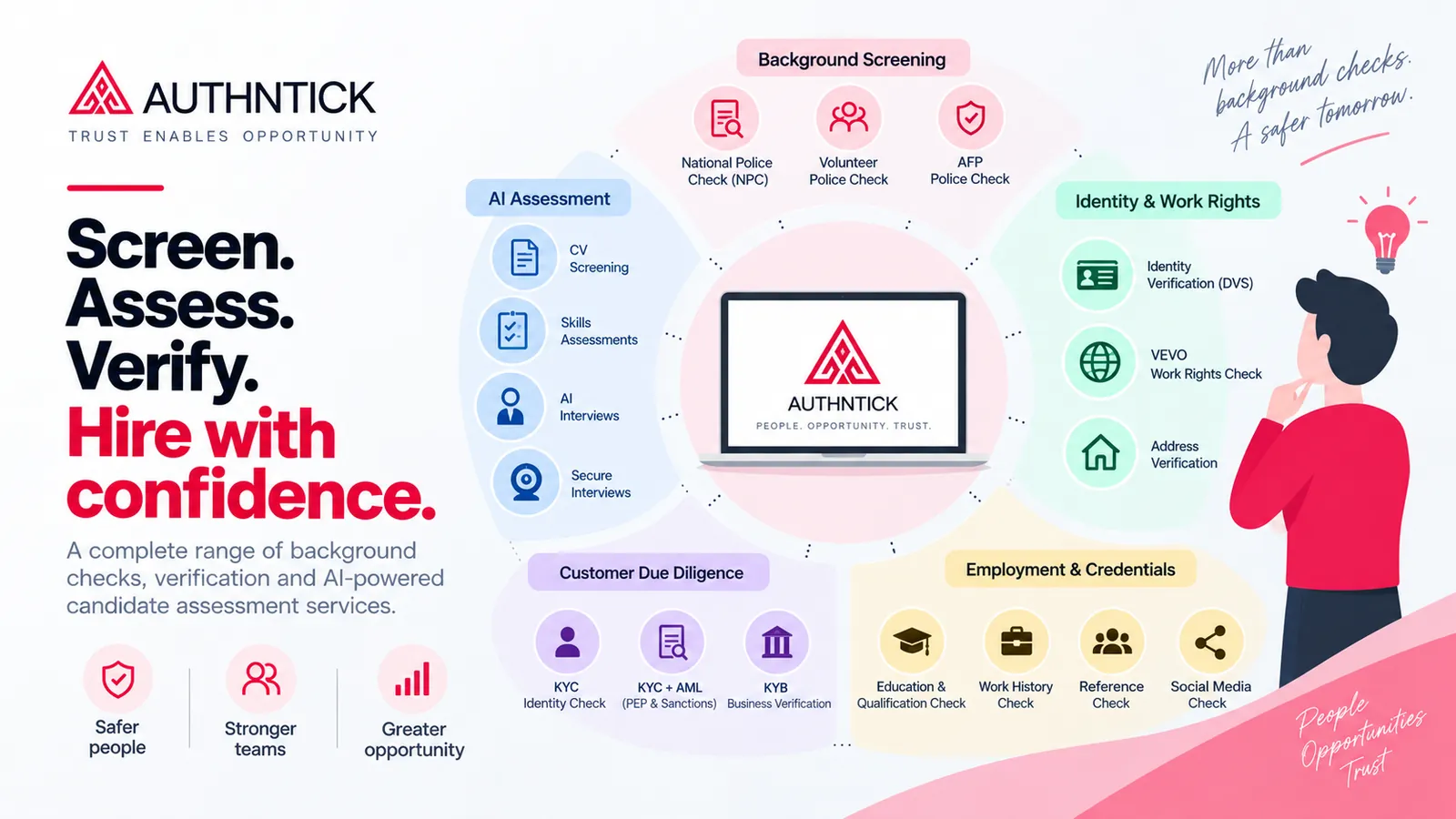
AuthNTick makes identity verification available within its broader screening experience. Organisations can manage checks through the AuthNTick dashboard and choose the services relevant to their candidate journey.
Frequently asked questions
Is DVS the same as facial verification?
No. DVS checks submitted document information. Facial comparison and liveness checks are separate processes.
Does a successful check guarantee someone’s identity?
No. A match confirms the relationship between submitted information and an official record. It does not by itself establish who is presenting that information.
How many documents does AuthNTick require?
The current AuthNTick identity-verification workflow requires two accepted documents to be successfully verified.
Can I continue if I do not consent to electronic verification?
Contact the organisation requesting the check or AuthNTick Support to discuss an alternative identity-verification method. Do not send identity documents by email.
Where can candidates learn about privacy?
The candidate workflow provides privacy information before consent and links to the Privacy Policy, including retention, access, correction and complaints information.
Explore the candidate experience
See how consent, document guidance and verification progress come together in AuthNTick.

About the author
Rahul Tripathi
Engineering and technology contributor
Rahul Tripathi is an engineer with interests in computer networks, digital systems and applied technology. At AuthNTick, he contributes to guides about digital identity, verification technology and practical screening workflows.
Editorial references
Official and authoritative sources
Use these primary and authoritative references to confirm current requirements for the topic covered in this guide.
- Identity verification services IDMatch, Australian Government
- What is personal information? Office of the Australian Information Commissioner
- Use and disclosure of personal information Office of the Australian Information Commissioner
- AS 4811:2022 Workforce screening Standards Australia
This guide is general information, not legal advice. Government processes and employer requirements can change, so check the linked source and the requesting organisation’s instructions before acting. Read our editorial and corrections policy.
Next step
Ready to move from research to action?
Use AuthNTick to complete secure Australian background checks, or speak with our team if you need the right workflow for your organisation.